Suggested flow: profile first, analytics second, documentation when needed.

If the map feels busy, start with the guided profile page first. It fills your Profile & Overlay and your recommendation budget and time settings before you work through analytics and suggestions here.

  • Step 1 Make your profile
  • Step 2 Use analytics and suggestions in this map
  • Step 3 Open FAQs and validation docs only when you need more detail
Make your profile first
This preserves the main map as the place for analysis, interventions, and suggestions instead of the first place someone has to orient themselves.
Questions are limited to mitochondrial biology, mutations, aging, interventions, node/edge relationships, and related site topics.

Find the best interventions for a symptom

Pick one of your tracked symptoms and rank candidate interventions by modeled symptom relief.
Add symptoms in the Signs and Symptoms tile to compare which interventions are most likely to help a specific symptom.
closer to optimal farther from optimal neutral / no overlay effect intervention-modified relationship
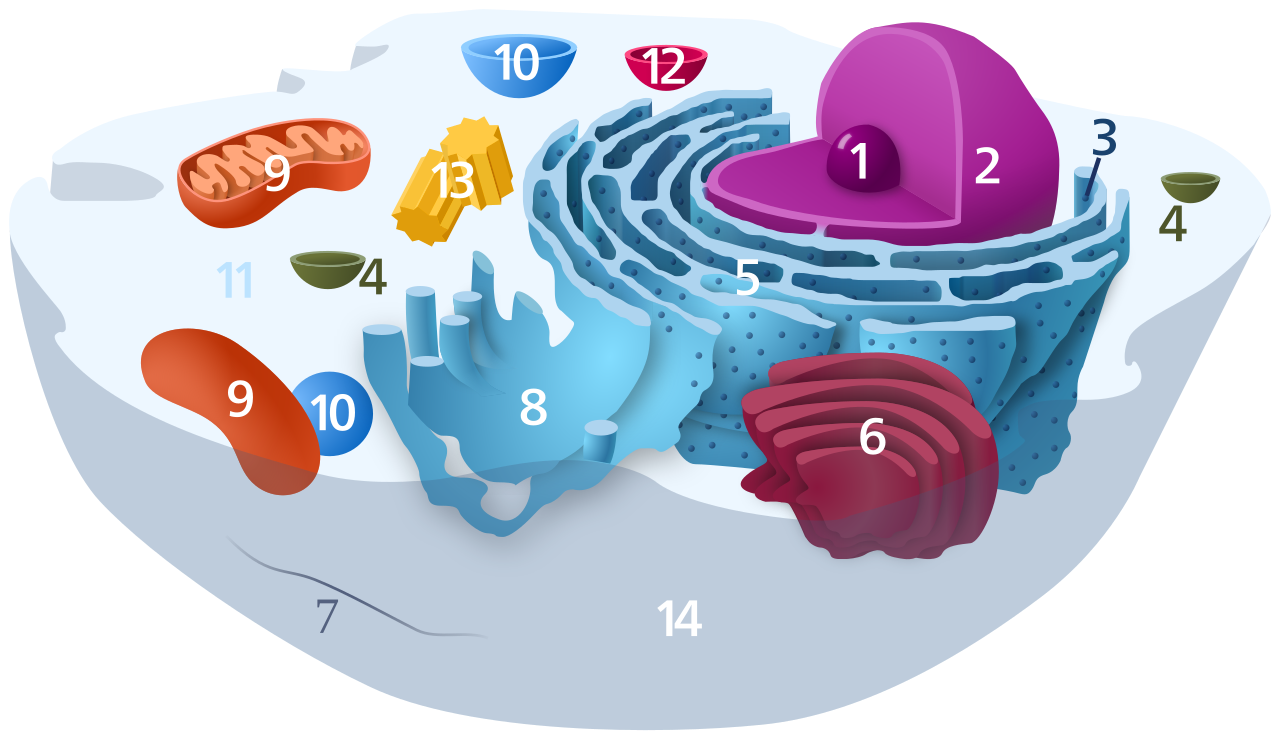
Cell localization view
Click a cellular region to see which network nodes map there.
Animal cell diagram
Hotspots show approximate biological localization, not exact microscopy coordinates.
Likely child bottlenecks
Split into baseline structural bottlenecks and acute performance / fuel bottlenecks so slower background stress can be distinguished from fast, carb-responsive pathways.

Bring patient records and wearable signals into the map

Stage clinical context and longitudinal biometrics alongside the mitochondrial network for cleaner patient-state review.
Coming Soon

Import health records

Upload visit summaries, lab packets, discharge notes, and structured exports so the map can align biomarkers, diagnoses, and symptom history in one place.

PDF reports FHIR exports Lab history
Designed for chart review, baseline intake, and longitudinal clinical updates.
Imports stay staged until you choose to apply them.

Sync wearables

Connect activity, sleep, recovery, and heart-rate trends to compare daily physiologic load against network state and intervention timing.

WHOOP Fitbit Withings Oura MyFitnessPal FatSecret Cronometer
Checking WHOOP connection...
Connect WHOOP
Checking Fitbit connection...
Connect Fitbit
Checking Withings connection...
Connect Withings
Checking Oura connection...
Connect Oura
Checking MyFitnessPal import...
Connect MyFitnessPal
Checking FatSecret connection...
Connect FatSecret
Checking Cronometer connection...
Connect Cronometer