1
Press when something changes.
A press records a timestamped, initially unlabeled event.
Free 8-week early-access pilot · Limited to 20 participants
Press a compatible Flic button to timestamp an event, then label it later in Mito Map when you are able. Help us test whether fast, low-effort symptom capture can create a clearer health timeline.
Please wait for acceptance and compatibility instructions before buying a button.
Why we are testing this
Fatigue, brain fog, pain, cramps, GI symptoms, tremor, or another episode can make detailed logging difficult. Reconstructing the moment later can leave gaps. A physical press may reduce the effort needed to mark that something happened.
How it works
The physical button gives you a low-effort way to bookmark the moment. Mito Map holds the timestamp so you can return when you have more energy or focus.
A press records a timestamped, initially unlabeled event.
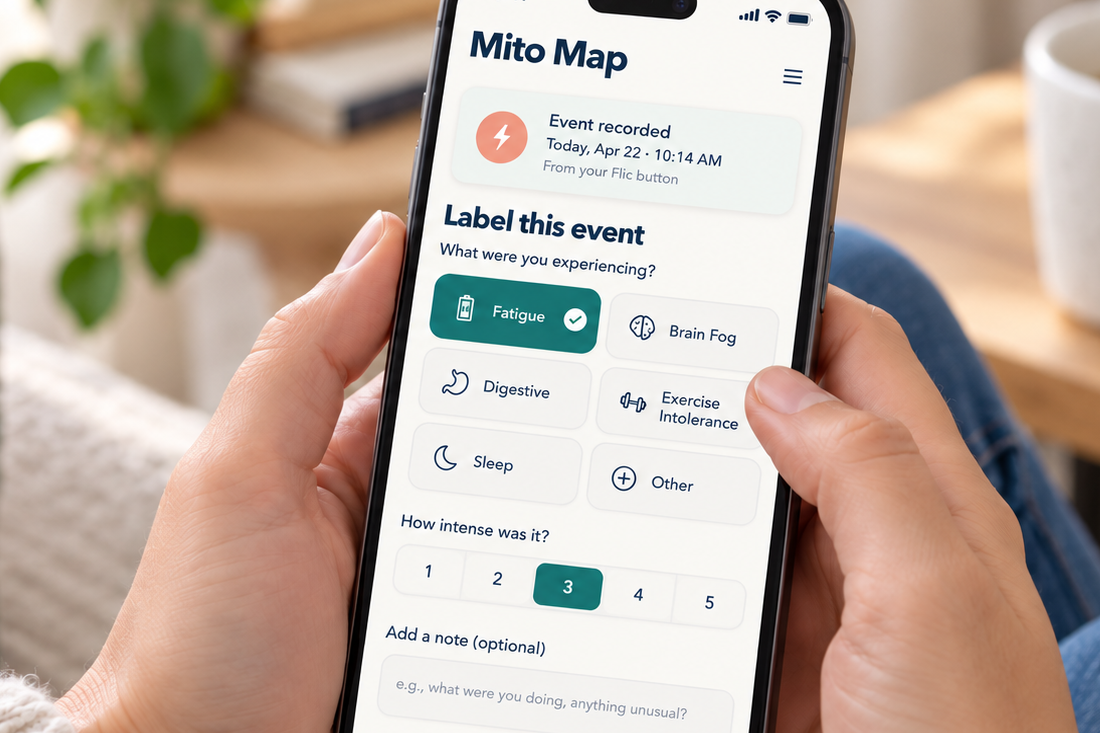
When able, open Mito Map, choose a symptom, and optionally add severity, notes, triggers, or context.
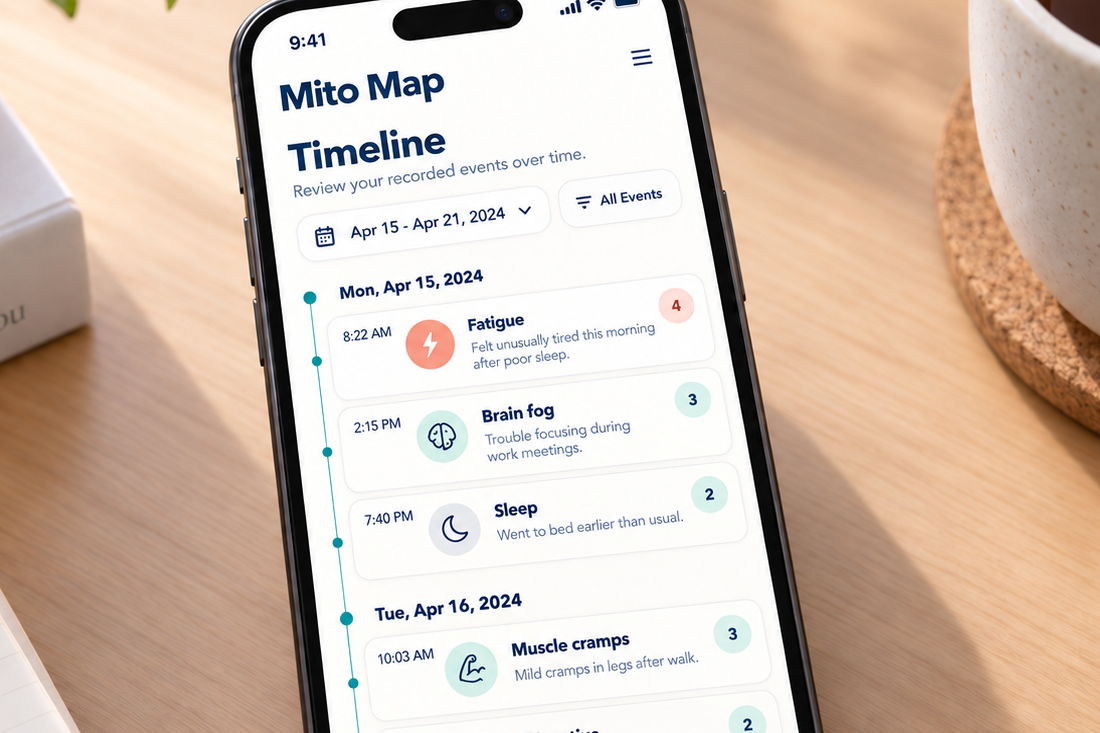
Filter by date or symptom and review summaries that may help you notice or discuss patterns.
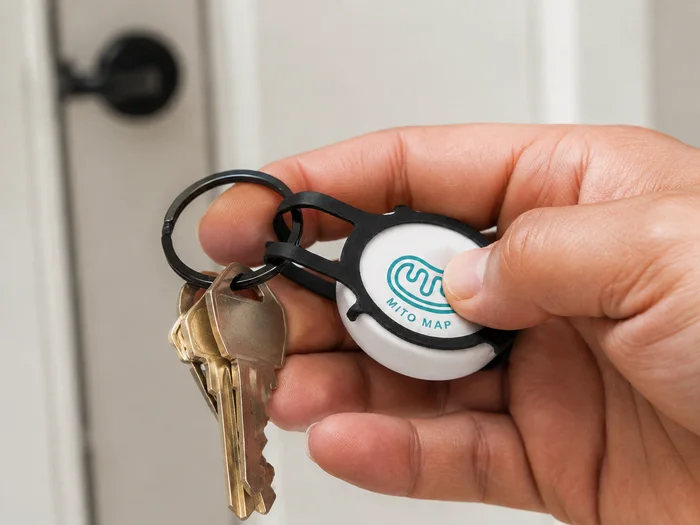
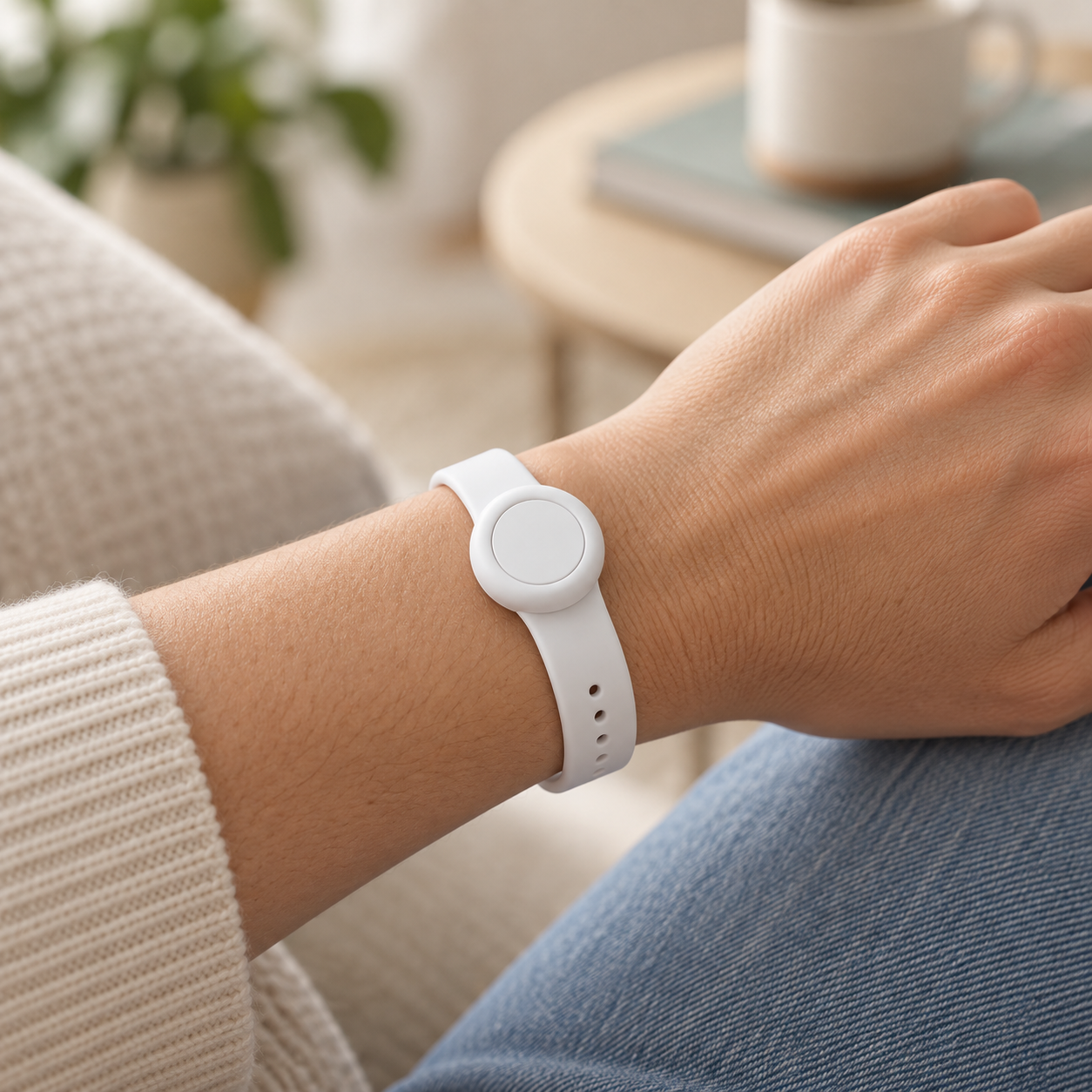
Concept images show how a compatible button may be carried. Final button gestures, accessories, and functions may change during this early-access pilot.
Recommended carry setups
Start with one compatible Flic Button, then choose the carry accessory that best fits your routine. Accessories are sold separately by Flic.
Best if the button will stay in one dependable place, such as a bedside table, desk, or frequently used room.
Best when pockets are inconvenient or you want the button visible and reachable during daily activities.
Best for attaching the button to keys, a bag, clothing, or another item you already carry.
Want both carry options? Choose one button plus both the wristband and metal clip, then move the button between them as your routine changes. Wait for pilot acceptance and compatibility instructions before purchasing.
Guided setup
The Participation Agreement accepted with this application governs the pilot. Accepted participants receive compatibility, onboarding, and activation instructions before using the feature.
Wait for acceptance, then confirm your phone and Flic model before purchasing anything.
Install the required app, turn on Bluetooth, and follow the pairing prompts.
Use the pilot instructions to link button presses to your Mito Map timeline.
Verify that the timestamp appears, then choose where you will carry the button.
What participants receive
What participants provide
Important limitations
Privacy
This application asks only for contact details, basic compatibility answers, pilot availability, and optional accessibility needs. It does not request medical records, an exact birth date, insurance details, or a detailed diagnosis.
The versioned Pilot Participation Agreement explains pilot event data, authorized access and use, retention, export, correction, deletion, withdrawal, analytics, and de-identified analysis. Applicants must read and agree to it before submitting an application. Optional wearable or health-data connections require separate consent.
Why Mito Map
Mito Map is designed to make longitudinal symptom information easier to capture and review. This pilot tests a lower-effort way to add moments to that existing timeline, shaped by input from people affected by mitochondrial disease.
You can create a free account now, whether or not you apply for or are accepted into the pilot.
Sign up for Mito Map Explore Mito MapFAQ
You must own or obtain a compatible Flic button. If accepted, wait for Mito Map to confirm compatibility before buying. Accepted participants can purchase the Flic Button directly from the manufacturer.
No. Mito Map does not receive payment from these links. Participants buy from Flic or another seller, which handles pricing, availability, shipping, warranty, returns, and hardware support. Common optional accessories include the metal clip, wristband, and sticker sheet. You can also browse all official Flic products and accessories.
A press creates an unlabeled event. Later, choose from a broader symptom list, add notes, and edit the event.
Those may work well. This pilot tests whether a physical press is easier when opening and navigating an app is difficult.
No. It is not an emergency-response or event-detection service.
Caregivers may apply. Account permissions and consent must be confirmed before enrollment.
If the pilot goes well, participants will receive at least one year of Mito Map + Flic software access at no charge. We will also provide transition and data-export instructions.
No. This is a product usability pilot unless a separate reviewed research protocol applies. It does not create a clinician-patient relationship.
Up to 20 participants will be accepted.
Applying does not guarantee acceptance. Please do not purchase hardware until you are accepted and receive compatibility instructions.
Already use Mito Map? Great. New here? Create a Mito Map account separately.